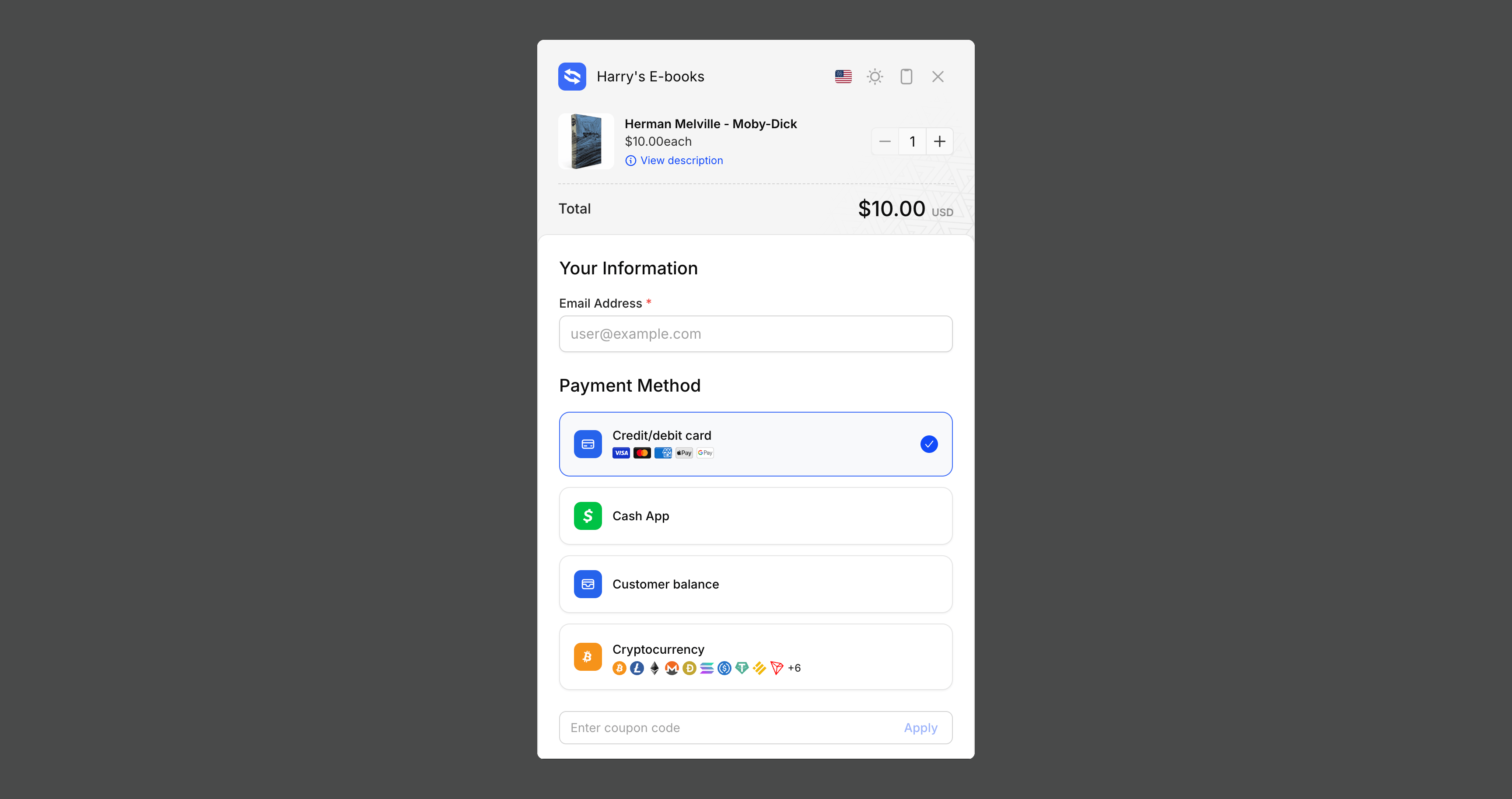
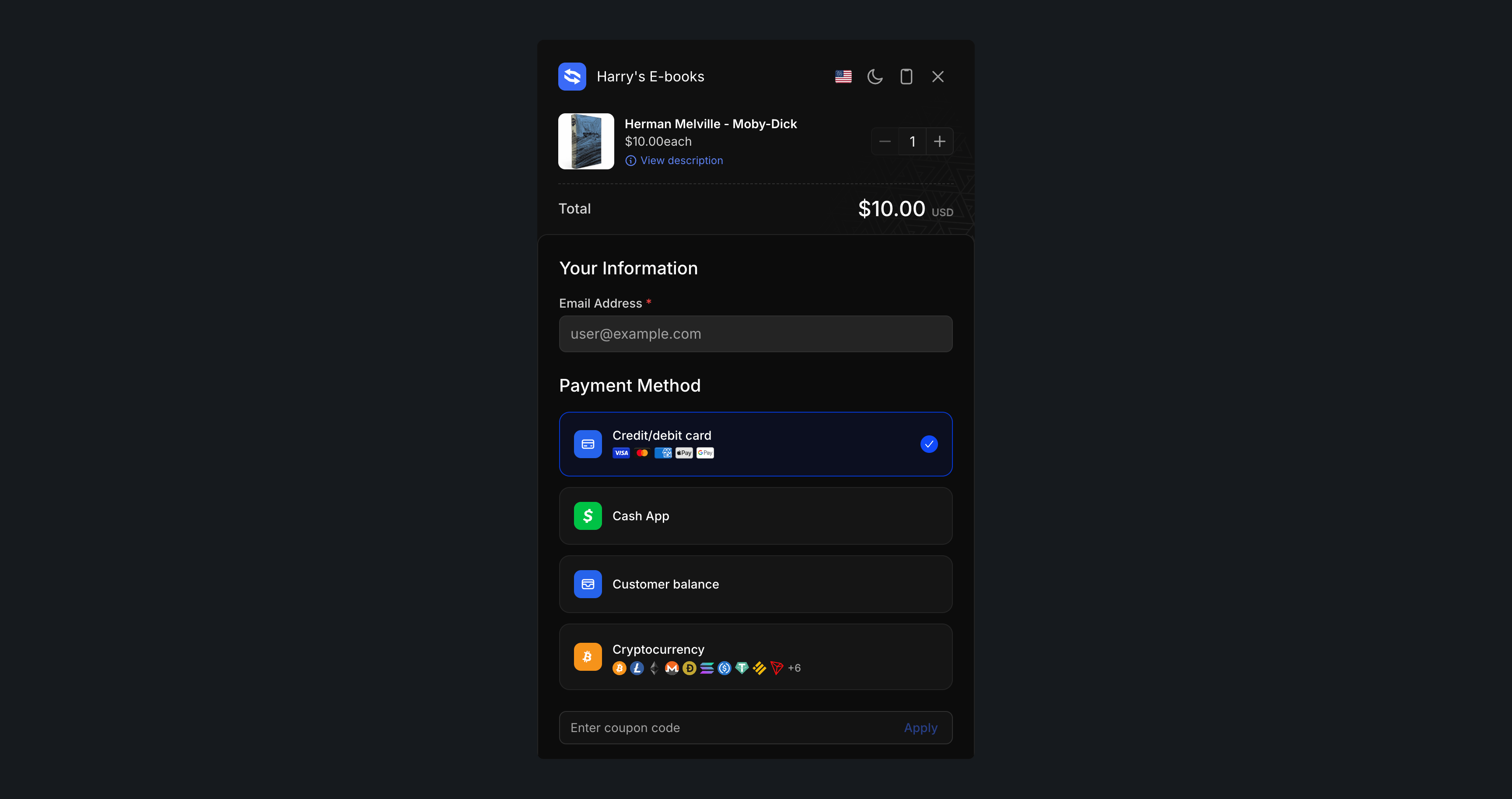
Komerza Embed SDK in action

Overview

The Komerza Embed SDK allows you to seamlessly integrate our checkout experience directly into your website. Instead of redirecting customers to a separate checkout page, the embed creates a modal overlay that keeps users on your site while providing a secure, optimized payment flow.

Live Demo

See the Embed SDK in action with our interactive demo
Also integrate our analytics script to bring back visitor analytics on your custom site for complete insights into your customer journey.

Features

Seamless Integration

Modal overlay keeps customers on your site during checkout

Lightweight

Minimal JavaScript bundle with no external dependencies

Theme Support

Light, dark, and auto themes to match your site design

CSP Compatible

Full Content Security Policy support with nonce integration

Quick Start

Add the following script to your website’s <head> or before the closing </body> tag:
<script src="https://checkout.komerza.com/embed/embed.iife.js" defer></script>
The easiest way to add checkout buttons to your site. Just add data attributes to any button or element:
<button
  data-kmrza-product-id="YOUR_PRODUCT_ID"
  data-kmrza-variant-id="YOUR_VARIANT_ID"
  data-kmrza-quantity="1"
  data-kmrza-theme="auto"
>
  Buy Now
</button>

<script src="https://checkout.komerza.com/embed/embed.iife.js" defer></script>
<script>
  // Initialize the embed to bind all buttons with data attributes
  document.addEventListener("DOMContentLoaded", () => {
    Komerza.init();
  });
</script>

Data Attributes Reference

AttributeRequiredDescriptionExample
data-kmrza-product-id✅ YesThe product ID from Komerza"0f6294be-25d6-4ced-96df-7d500608c54d"
data-kmrza-variant-id✅ YesThe variant ID from Komerza"96f846e5-5f22-46a2-97b3-a1c88f685577"
data-kmrza-quantity❌ NoQuantity to purchase (default: 1)"2"
data-kmrza-theme❌ NoTheme mode: light, dark, or auto (default: auto)"dark"

Method 2: JavaScript API (For Advanced Use Cases)

For more control, use the JavaScript API to programmatically open the checkout:
<button id="checkout-btn">Buy Now</button>

<script src="https://checkout.komerza.com/embed/embed.iife.js" defer></script>
<script>
  document.getElementById("checkout-btn").addEventListener("click", () => {
    Komerza.open({
      items: [
        {
          productId: "YOUR_PRODUCT_ID",
          variantId: "YOUR_VARIANT_ID",
          quantity: 1,
        },
      ],
      theme: "auto", // 'light', 'dark', or 'auto'
    });
  });
</script>

Multiple Items

You can add multiple products to the checkout at once:
Komerza.open({
  items: [
    {
      productId: "0f6294be-25d6-4ced-96df-7d500608c54d",
      variantId: "96f846e5-5f22-46a2-97b3-a1c88f685577",
      quantity: 2,
    },
    {
      productId: "54d6adb4-c160-4f73-b9c0-6c16970fff41",
      variantId: "37e70705-c603-4ab2-8a2e-d16e80288c8c",
      quantity: 1,
    },
  ],
  theme: "light",
});

Complete Implementation Guide

HTML Setup

Here’s a complete HTML page example:
<!DOCTYPE html>
<html lang="en">
  <head>
    <meta charset="UTF-8" />
    <meta name="viewport" content="width=device-width, initial-scale=1.0" />
    <title>My Store</title>

    <!-- CSP Header (recommended) -->
    <meta
      http-equiv="Content-Security-Policy"
      content="frame-src https://checkout.komerza.com; script-src 'self' 'nonce-abc123' https://checkout.komerza.com;"
    />
  </head>
  <body>
    <div class="product-container">
      <h1>Amazing Product</h1>
      <p>Price: $29.99</p>

      <!-- Your buy button -->
      <button id="buy-now" class="buy-button">Buy Now</button>
    </div>

    <!-- Komerza Embed SDK -->
    <script
      src="https://checkout.komerza.com/embed/embed.iife.js"
      nonce="abc123"
    ></script>

    <script nonce="abc123">
      // Your integration code here
    </script>
  </body>
</html>

JavaScript Integration

  • Basic Integration
  • Advanced Integration
  • React Integration
// Initialize when page loads
document.addEventListener('DOMContentLoaded', function() {
  KomerzaEmbed.init();
  
  // Bind to your buy button
  document.getElementById('buy-now').addEventListener('click', function() {
    KomerzaEmbed.open({
      items: [
        {
          productId: 'prod_123',
          variantId: 'var_456',
          quantity: 1
        }
      ]
    });
  });
});

API Reference

Komerza.init(options?)

Initializes the embed and automatically binds all elements with data-kmrza-* attributes.
Komerza.init({
  nonce: "YOUR_CSP_NONCE", // Optional: for Content Security Policy
});
Options:
  • nonce (optional): CSP nonce for injected styles and scripts
Note: This is called automatically when using the JS API (Komerza.open()), but should be called explicitly if you’re using data attributes.

Komerza.open(options)

Opens the checkout modal programmatically.
Komerza.open({
  items: [
    {
      productId: string,    // Required
      variantId: string,    // Required
      quantity?: number     // Optional, default: 1
    }
  ],
  theme?: 'light' | 'dark' | 'auto',  // Optional, default: 'auto'
  affiliateCode?: string  // Optional, override affiliate tracking code
});
Parameters:
  • items (required): Array of products to add to checkout
    • productId (required): Product identifier
    • variantId (required): Product variant identifier
    • quantity (optional): Number of items (default: 1)
  • theme (optional): Color theme for the checkout modal
    • 'auto' - Matches user’s system preference (default)
    • 'light' - Light mode
    • 'dark' - Dark mode
  • affiliateCode (optional): Override affiliate tracking code, this will override any other affiliate tracking code whether that be from cookies or the URL.

Komerza.close()

Closes the checkout modal programmatically.
Komerza.close();

Basic Button

<button
  data-kmrza-product-id="0f6294be-25d6-4ced-96df-7d500608c54d"
  data-kmrza-variant-id="96f846e5-5f22-46a2-97b3-a1c88f685577"
>
  Add to Cart
</button>

<script src="https://checkout.komerza.com/embed/embed.iife.js" defer></script>
<script>
  document.addEventListener("DOMContentLoaded", () => {
    Komerza.init();
  });
</script>

Dark Theme with Custom Quantity

<button
  data-kmrza-product-id="0f6294be-25d6-4ced-96df-7d500608c54d"
  data-kmrza-variant-id="96f846e5-5f22-46a2-97b3-a1c88f685577"
  data-kmrza-quantity="3"
  data-kmrza-theme="dark"
  class="buy-button"
>
  Buy 3 Now
</button>

<script src="https://checkout.komerza.com/embed/embed.iife.js" defer></script>
<script>
  document.addEventListener("DOMContentLoaded", () => {
    Komerza.init();
  });
</script>

Dynamic Cart with JavaScript

<button id="add-to-cart">Add to Cart</button>

<script src="https://checkout.komerza.com/embed/embed.iife.js" defer></script>
<script>
  // Your cart logic
  const cart = [
    { productId: "prod-1", variantId: "var-1", quantity: 2 },
    { productId: "prod-2", variantId: "var-2", quantity: 1 },
  ];

  document.getElementById("add-to-cart").addEventListener("click", () => {
    Komerza.open({
      items: cart,
      theme: "auto",
    });
  });
</script>

React Integration

import { useEffect } from "react";

function CheckoutButton({ productId, variantId, quantity = 1 }) {
  useEffect(() => {
    // Load the script
    const script = document.createElement("script");
    script.src = "https://checkout.komerza.com/embed/embed.iife.js";
    script.defer = true;
    document.body.appendChild(script);

    return () => {
      document.body.removeChild(script);
    };
  }, []);

  const handleClick = () => {
    if (window.Komerza) {
      window.Komerza.open({
        items: [{ productId, variantId, quantity }],
        theme: "auto",
      });
    }
  };

  return <button onClick={handleClick}>Buy Now</button>;
}

Next.js Integration

// components/CheckoutButton.jsx
"use client";

import { useEffect } from "react";
import Script from "next/script";

export default function CheckoutButton({ productId, variantId, quantity = 1 }) {
  const handleClick = () => {
    if (window.Komerza) {
      window.Komerza.open({
        items: [{ productId, variantId, quantity }],
      });
    }
  };

  return (
    <>
      <Script
        src="https://checkout.komerza.com/embed/embed.iife.js"
        strategy="lazyOnload"
      />
      <button onClick={handleClick}>Buy Now</button>
    </>
  );
}

TypeScript Support

Type definitions are included. You can use them like this:
import type {
  EmbedOptions,
  InitOptions,
} from "https://checkout.komerza.com/embed/embed.iife.js";

const options: EmbedOptions = {
  items: [
    {
      productId: "abc123",
      variantId: "xyz789",
      quantity: 1,
    },
  ],
  theme: "auto",
};

window.Komerza.open(options);

Troubleshooting

The checkout doesn’t open

  1. Make sure the script is loaded (defer attribute is recommended)
  2. Check browser console for errors
  3. Verify your product and variant IDs are correct
  4. If using data attributes, ensure Komerza.init() is called after DOM is loaded
The modal uses a high z-index (9999). If it’s still behind elements, check your CSS for competing z-index values.

Theme doesn’t apply

The theme parameter accepts only 'light', 'dark', or 'auto'. Check for typos.

Affiliates

The Komerza Embed SDK supports affiliate tracking out of the box:
  • By default, the embed will automatically support deep linking using the ?ref query parameter on any URL where it runs. For example, a visitor arriving at https://example.com/?ref=aff_12345 will have aff_12345 attributed as the affiliate code.
  • The SDK will also read the kmrza_affiliate cookie (if present) and pass that affiliate code to the order automatically, unless you override it.
  • You can override the automatic behavior by passing an explicit affiliateCode to KomerzaEmbed.open().
No manual setup is required for affiliate tracking - just use the standard initialization and checkout flow.

Content Security Policy (CSP)

For enhanced security, configure your CSP headers to allow the Komerza embed:
Content-Security-Policy:
  frame-src https://checkout.komerza.com;
  script-src 'self' 'nonce-YOUR_NONCE' https://checkout.komerza.com;
  style-src 'self' 'nonce-YOUR_NONCE';
Then pass the nonce to the SDK:
KomerzaEmbed.init({
  nonce: "YOUR_NONCE",
});

Best Practices

  • Load the SDK script asynchronously when possible
  • Initialize the SDK early but only open modals on user interaction
  • Implement proper loading states for buy buttons
  • Provide clear loading indicators - Handle network failures gracefully with fallback URLs - Support keyboard navigation (ESC to close)
  • Always use CSP headers in production
  • Validate product IDs and variant IDs before opening checkout
  • Never expose sensitive data in client-side code

Analytics Integration

Analytics Integration

Also integrate our analytics script to bring back visitor analytics on your custom site
Track the complete customer journey by combining the Embed SDK with our analytics script. This gives you insights into visitor behavior, conversion rates, and checkout abandonment on your custom site.

Support

Need help with integration?